I’ll be honest – when I first started streaming, I thought I needed to drop serious cash on fancy equipment for my streaming setup. Stream Decks, professional webcams, multiple monitors – the whole nine yards. But then I had a lightbulb moment: what if I could use the devices I already had lying around?
Turns out, I was sitting on a goldmine. With just three Android devices and some clever free apps, I built a streaming setup that honestly blows my mind every time I use it. And the best part? It didn’t cost me a penny extra.
My First Game-Changer: Turning a spare Phone into a Wireless Stream Deck
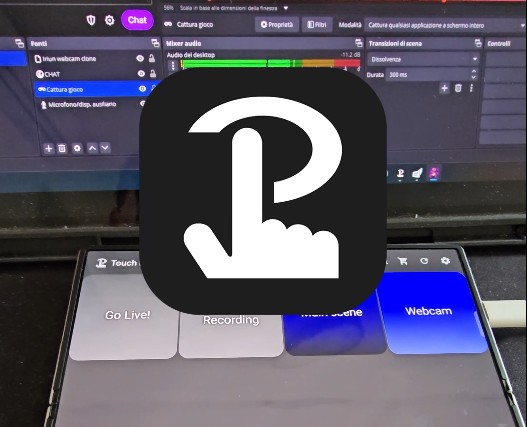
So I had this spare Android phone just collecting dust in a drawer. Instead of letting it sit there, I downloaded Touch Portal and turned it into my personal wireless command center. This thing is seriously incredible.
I can now control my entire OBS setup from across the room. Need to switch scenes? Tap. Want to adjust my mic levels? Another tap. Starting a recording? You guessed it – just a tap. The freedom this gives me during streams is unreal. No more awkward keyboard reaches or interrupting my flow to mess with settings.
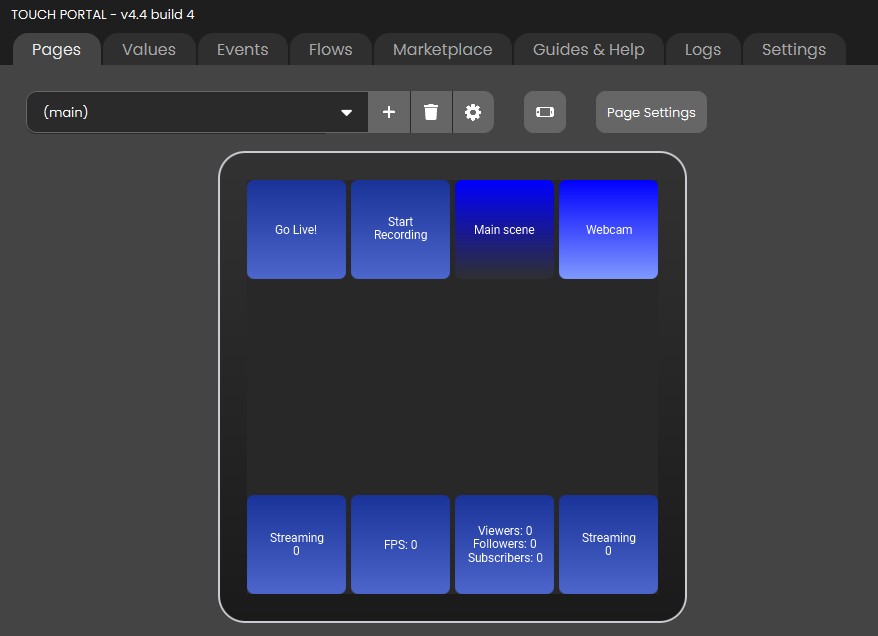
What really sold me was how customizable it is. I’ve got buttons for everything – scene transitions, audio controls, even my smart lights for when I want to change the mood mid-stream. And since the phone stays plugged in via USB, I never have to worry about it dying during a long streaming session.
The setup was surprisingly straightforward too. Once I connected both devices to my WiFi network, Touch Portal just worked. I spent maybe an hour customizing my button layout, and now I have what feels like a professional broadcast control room right in my hand.
Transform My Second Phone into a Surprisingly Good Camera
Here’s where things get really interesting. I took another phone I had (this one was my backup device) and installed Iriun Webcam. Let me tell you – the video quality is genuinely impressive. We’re talking crisp 1080p that makes my old webcam look like a potato.
The wireless connection via WiFi was a game-changer. I can position this phone anywhere I want without being limited by cable length. Want to get a different angle? Just move it. Need to adjust the framing? No problem. And since it connects wirelessly, the USB port stays free for charging, so I don’t have to worry about the battery dying during those marathon streaming sessions.
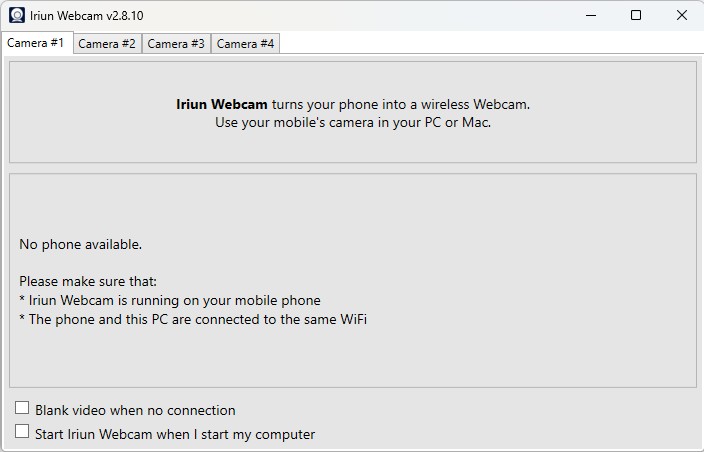
What really surprised me was how well it integrates with OBS. The phone shows up just like any other camera source – no weird workarounds or compatibility issues. I can even use multiple phones as different camera angles if I want to get fancy with my setup.youtube
The app also has some neat features I wasn’t expecting. I can zoom in and out with pinch gestures, turn off the screen to save battery while still streaming, and even flip the image if needed. For a free app using hardware I already owned, this completely exceeded my expectations.
My Tablet Became the Ultimate Second Monitor
Now for the piece de resistance – my Samsung Tab S9 Ultra. Instead of buying an expensive second monitor, I used Spacedesk to turn it into an extended display for my PC. This might be my favorite part of the whole setup.
I keep my main monitor focused on whatever I’m streaming, while the tablet handles everything else. Chat monitoring, stream stats, social media, streaming software controls – it all lives on the tablet now. The USB connection gives me zero lag, so everything feels snappy and responsive.
Having that touchscreen functionality is surprisingly useful too. I can interact directly with applications running on the tablet, which feels more intuitive than using a mouse for certain tasks. Plus, the tablet is way more portable than a traditional second monitor would be.
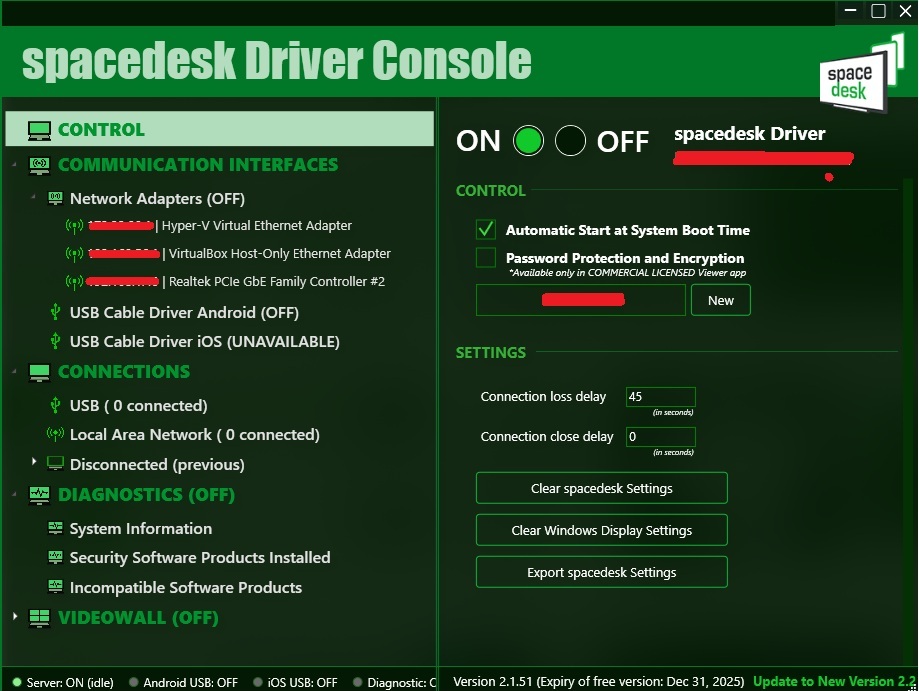
Setting it up was dead simple. Both devices on the same network, install the app, connect via USB for the best performance, and boom – instant second display. The whole process took maybe ten minutes.
Why This Setup Actually Works Better Than Traditional Gear
I was skeptical at first, but this mobile-first approach has some serious advantages over traditional streaming equipment. First off, the cost savings are obvious – I used stuff I already had instead of dropping hundreds on new gear.
But beyond the money aspect, there’s the flexibility factor. My entire streaming setup can fit in a backpack. Want to stream from a different room? No problem. Traveling and want to maintain your streaming schedule? Everything comes with me. Try doing that with multiple dedicated monitors and a physical Stream Deck.
The wireless nature eliminates so much cable clutter too. My streaming area used to look like a spaghetti factory exploded. Now everything connects wirelessly, and I can position devices exactly where I need them without worrying about cable management.
The Real-World Experience
After using this setup for several months now, I can honestly say it’s transformed how I stream. The wireless control from Touch Portal makes me feel like I’m conducting a high-tech orchestra. The camera quality from Iriun Webcam consistently gets compliments from viewers. And having that extra screen real estate from Spacedesk has made me way more responsive to chat and better at monitoring my stream health.
Sure, there was a learning curve. I had to spend time customizing everything to match my workflow, and I needed to make sure my WiFi network could handle all the wireless connections. But once everything was dialed in, it just works.
The reliability has been impressive too. I was worried about wireless connections dropping or apps crashing, but these solutions have been rock solid. I keep USB cables handy for charging and backup connections, but I rarely need them.
What I’d Tell Anyone Considering This
If you’re on the fence about trying this approach, just go for it. The apps are free, you probably have compatible devices already, and the worst-case scenario is you spend an afternoon experimenting with some cool technology.
Start with one component – maybe try Touch Portal first since that’ll give you the most immediate “wow” factor. Once you see how responsive and customizable it is, you’ll probably want to try the camera and second monitor setups too.
The key is not overthinking it. These aren’t complicated enterprise solutions – they’re user-friendly apps designed to just work. Download them, follow the setup guides, and start experimenting.
My Streaming Evolution Continues
Looking back, I can’t believe I almost spent hundreds of dollars on dedicated equipment when this solution works better for my needs. It’s portable, flexible, cost-effective, and honestly kind of fun to use.
The mobile streaming revolution is happening whether we realize it or not. Our phones and tablets are getting more powerful, the software keeps getting better, and the barriers to creating professional-quality content keep getting lower.
I’m excited to see where this goes next, but for now, I’m perfectly happy with my three-device streaming studio that fits in a backpack and cost me absolutely nothing extra to build.